
-

-
-

-

-
-

-

-

-

-

-
-
-

-
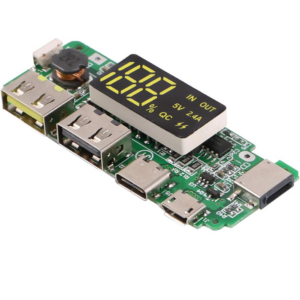
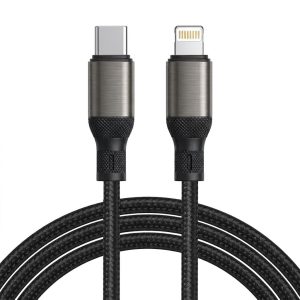
Charging Module Board Power Bank 5V 2.4A Dual USB Micro/Type-C USB With LED Display
135.00 EGP135.00 EGP× -

-


ELECROW CrowPanel HMI ESP32 Display: A Complete Review and Guide

The ELECROW CrowPanel is an all-in-one Human-Machine Interface (HMI) display powered by an ESP32 microcontroller, designed for IoT, automation, and industrial control projects. With a touchscreen interface, Wi-Fi/Bluetooth connectivity, and GPIO expansion, it’s a versatile tool for makers and engineers.
Content
- Introduction
- Feature
- Hardware Deep Dive
- Setting Up the CrowPanel
- Best Use Case
- Pros & Cons vs. Alternatives
- Project Ideas
- Conclusion
- External Resources
Introduction
CrowPanel ESP32 Display module is a powerful HMI capacitive touch screen with LCD display. It uses the ESP32-S3-WROOM-1-N4R8 module as the main control processor, with a dual-core 32-bit LX6 microprocessor, integrated WiFi and Bluetooth-compatible wireless functions, a main frequency of up to 240MHz, providing powerful performance and versatile applications, suitable for IoT application devices and other scenes.
The module includes a 5.0-inch LCD display and a driver board. The display screen uses a capacitive touch technology and the board has reserved a TF card slot, multiple peripheral interfaces, USB interface, speaker interface, battery interface, etc., providing more expansion possibilities. It supports development environments such as Arduino IDE, Espressif IDF, Lua RTOS, and Micro Python, and is compatible with the LVGL graphics library, supports openHASP. This enables developers to not only customize their own UI interfaces but also to create interesting projects quickly and easily, greatly shortening the development cycle.
The CrowPanel ESP32 Display 5.0-inch module is suitable for a wide range of scenes such as automotive HMI, medical equipment, smart home, industrial control, civil electronics, home automation, new energy, and IoT application devices. Its various interfaces and expansion functions make it able to meet the needs of different fields, providing users with a more comprehensive solution. This 3.5″ display also supports tactility. Click here to learn more.
Feature
- Integrated ESP32-S3-WROOM-1-N4R8 module, built-in wireless communication 2.4 GHz Wi-Fi (802.11 b/g/n) and Bluetooth-compatible 5.0;
- Support development environment Arduino IDE, Espressif IDF, PlatformIO, Micro python and compatible with LVGL graphics library;
- Built-in LVGL demo interface and Arduino example, plug and play;
- TFT-LCD capacitive screen with driver IC ILI6122 + ILI5960;
- Rich peripheral interfaces and expansion functions enable it to meet the needs of different fields.
 |
 |
ESP32 ScreenESP32 Display 5.0″ module is a powerful HMI capacitive touch screen with a 800*480 resolution LCD display. It uses the ESP32-S3-WROOM-1-N4R8 module as the main control processor. |
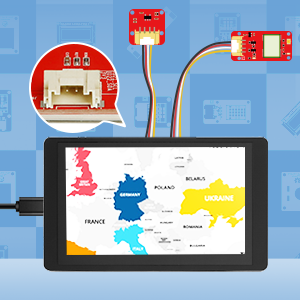
Crowtail CompatibleIt’s compatibility with the ELECROW Crowtail modules can give an easier implementation method to your projects. |
 |
 |
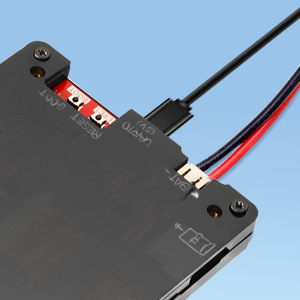
2 Way PowerSupport TYPE-C USB power supply and external lithium battery power supply. |
Tech Issues?If you encounter any issues while using our product, please please be free talk with us and we are here to help you! |
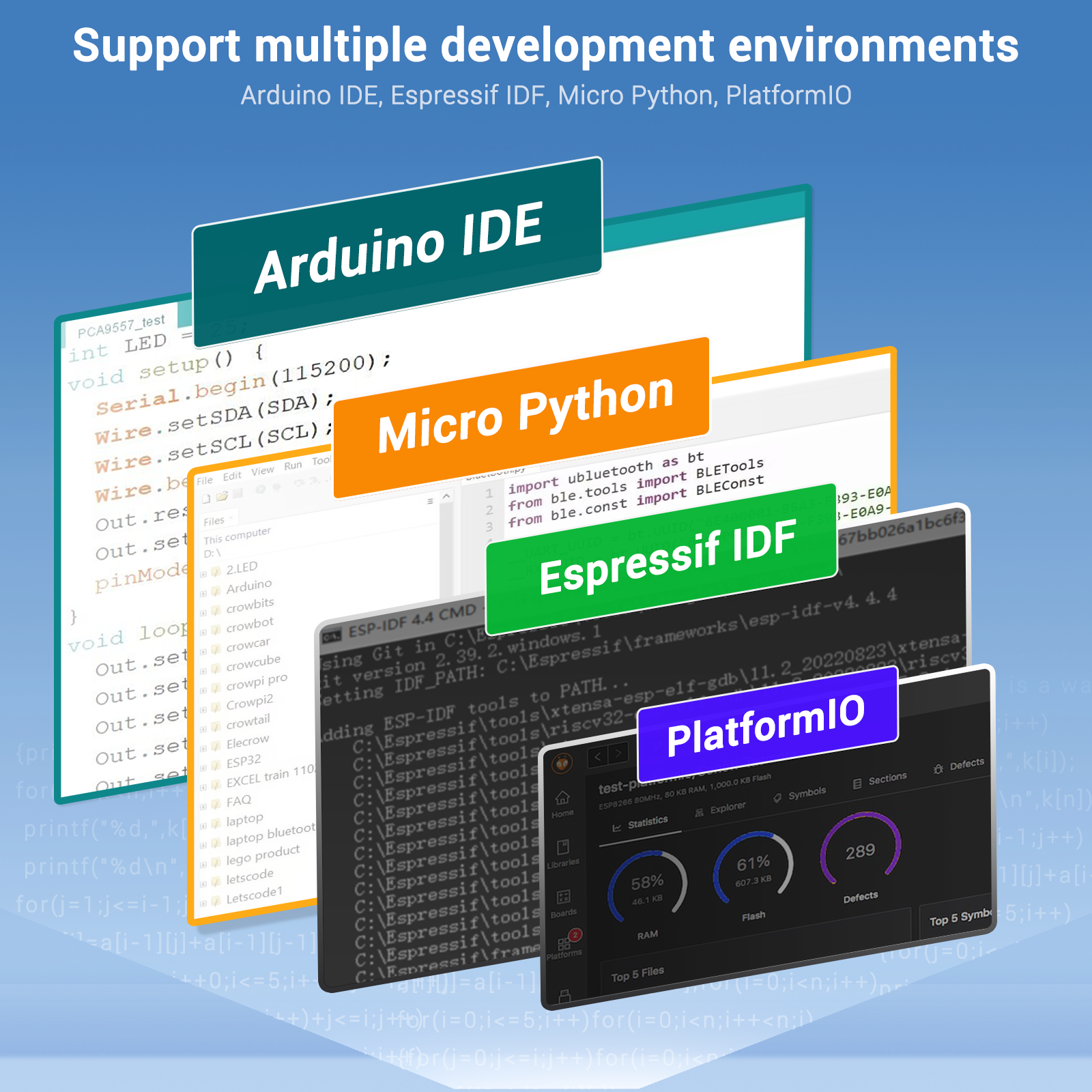
Support multiple development environments.
It supports a variety of development environments such as Arduino IDE, Espressif IDF, PlatformIO, and Micro Python, to meet the needs of different developers and make every project possible.
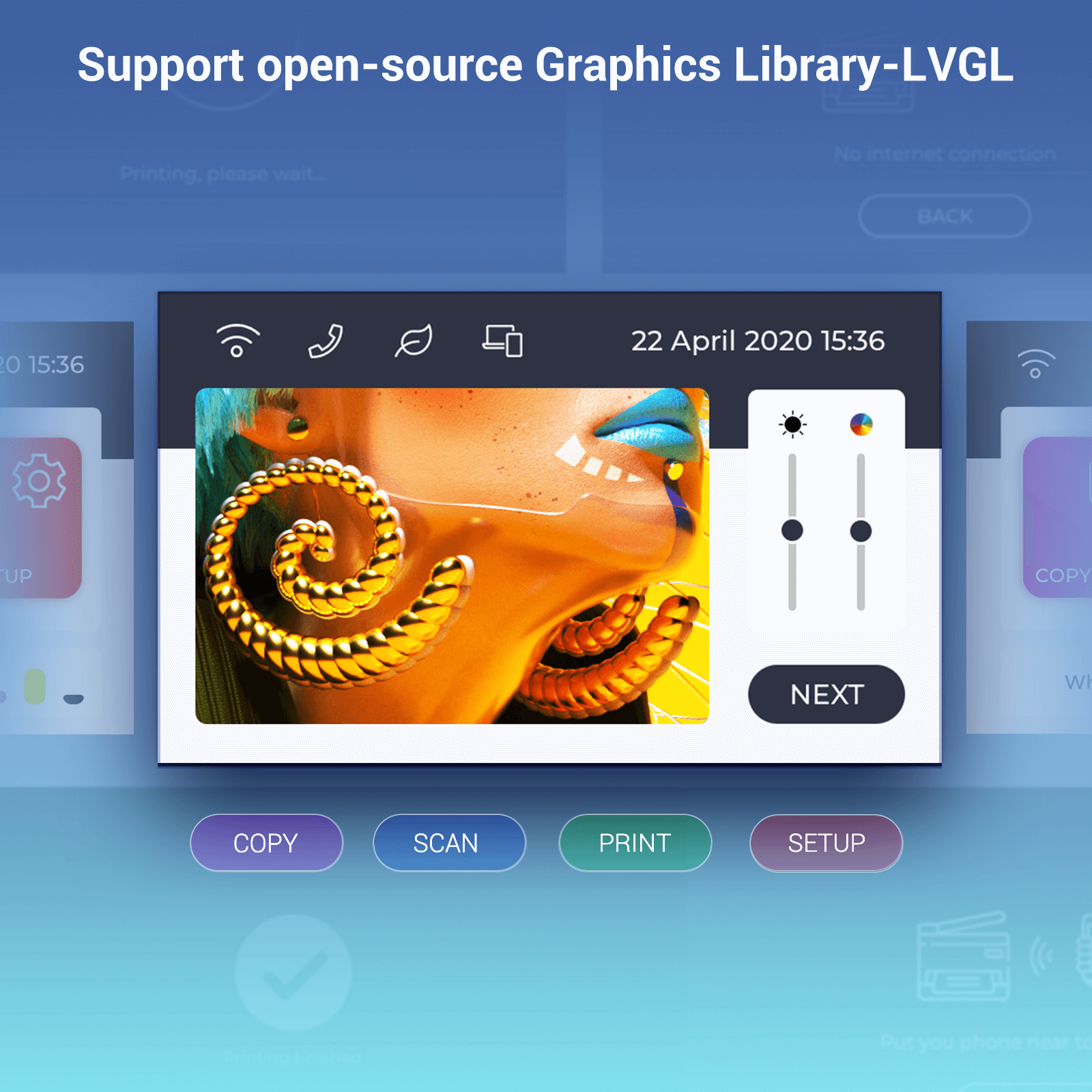
Support open-source Graphics Library-LVGL
It supports the LVGL graphics library. You can design a variety of UIs.
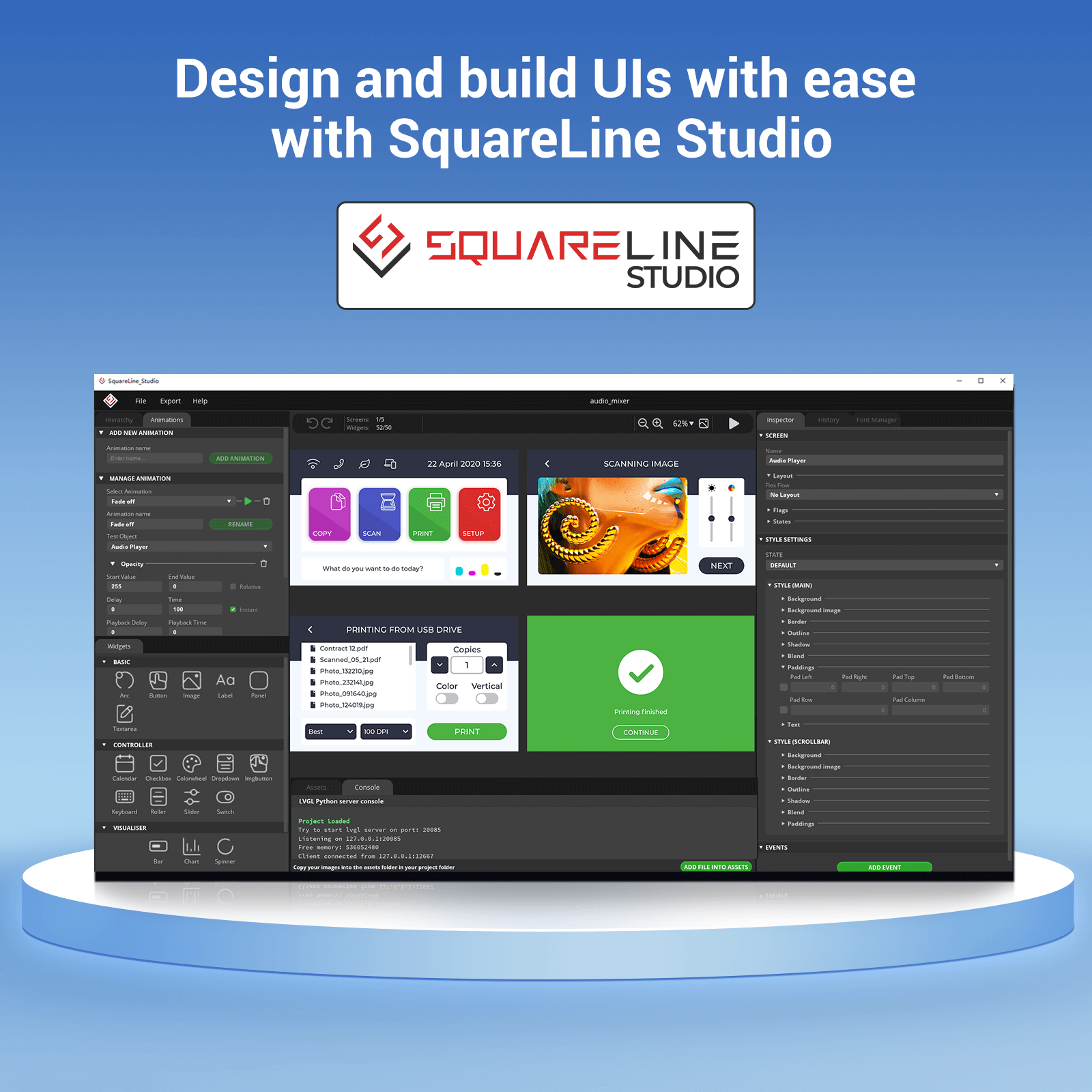
Design and build UIs with ease with Square Line Studio
Use Square Line Studios to design and implement your own LVGL UI and export ready to use projects with one click.
Square line Vision has entered BETA, sign up now to get 40% off all licenses. https://vision.squareline.io/
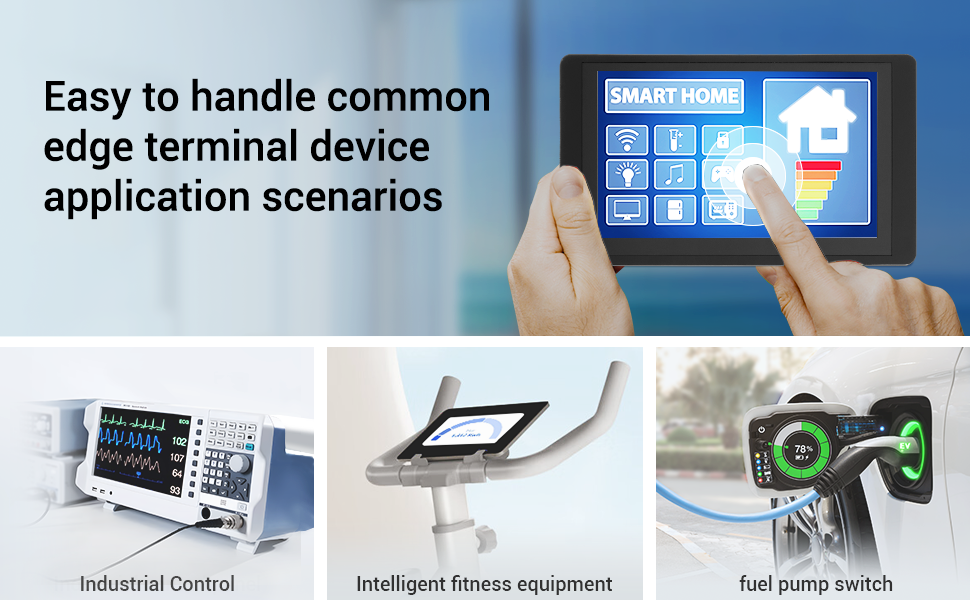
Applications
It is suitable for various scenes such as:
- Automotive HMI.
- Medical equipment.
- Smart home.
- Home automation.
- Industrial control.
- Civil electronics.
- IoT application devices.

Hardware Deep Dive
Microcontroller: ESP32-WROVER Breakdown
| Feature | Details |
|---|---|
| Display | 4-inch or 5-inch TFT LCD (480×320 or 800×480) |
| Touchscreen | Capacitive (multi-touch support) |
| Microcontroller | ESP32-WROVER (Dual-core, 240MHz) |
| Wireless | Wi-Fi 4 & Bluetooth 4.2 |
| GPIO & Peripherals | USB, UART, I2C, SPI, SD card slot |
| Power Supply | 5V DC (USB or terminal block) |
| Programming | Arduino IDE, ESP-IDF, MicroPython |
CrowPanel ESP32 Display Comparison


Setting Up the CrowPanel
Step 1: Hardware Connections
- Power via USB-C or 5V terminal input.
- Connect peripherals (sensors, relays) via GPIO pins.
Step 2: Software Setup
- Install Drivers (CP210x for USB-to-Serial).
- Configure Arduino IDE for ESP32 support.
- Add ESP32 board support using:
https://dl.espressif.com/dl/package_esp32_index.json
- Select “ESP32 Dev Module” in Board Manager.
Example Code
#include <TFT_eSPI.h>

TFT_eSPI tft = TFT_eSPI();

void setup() {

    tft.init();
    tft.setRotation(1);
    tft.fillScreen(TFT_BLACK);
    tft.setTextColor(TFT_WHITE);
    tft.drawString("Hello, CrowPanel!", 50, 50);

}

void loop() {

}
Step 3: Touchscreen Calibration
- Use ELECROW’s calibration tool provided in their library.
Best Use Cases
✔ Home Automation Dashboard
- Control smart lights and thermostats via Wi-Fi.
- UI Tools: LVGL and Square Line Studio.
✔ Industrial Control Panel
- Monitor sensors such as temperature and pressure using real-time graphs.
✔ IoT Data Logger
- Store readings on SD card or upload data to Google Sheets.
Pros & Cons vs. Alternatives
| Aspect | CrowPanel HMI ESP32 | Nextion Display | Waveshare ESP32-S3 LCD |
|---|---|---|---|
| Programmability | Arduino / MicroPython | Proprietary Editor | Arduino / CircuitPython |
| Touchscreen | Capacitive (Better UX) | Resistive | Capacitive |
| Wireless | Wi-Fi / Bluetooth Built-in | Requires Add-ons | Wi-Fi Only |
| Price | $$ (Mid-range) | $ (Budget) | $$$ (Premium) |
Project Ideas
Smart Farm Controller
- Display soil moisture and temperature while controlling irrigation.
3D Printer Interface
- Replace stock LCD with touchscreen controls.
Retail POS Terminal
- Barcode scanning with payment interface support.
Conclusion
- The ELECROW CrowPanel HMI ESP32 is a powerful and user-friendly display solution for IoT and automation projects.
- Its touchscreen, wireless connectivity, and Arduino compatibility make it suitable for both beginners and advanced developers.
- A complete HMI solution for modern smart applications.
External Resources
- Wiki
- User Manual
- Specification of LCD
- ESP32-S3-WROOM-1N4R8 Datasheet
- LVGL Reference
- openHASP Github
- For Tactility
- CE Certificate
- ESP32 Display Tutorial: Setting Up the Development Environment with CrowPanel丨Lesson 1
- ESP32 Display Tutorial: Draw GUI with LovyanGFX丨Lesson 2
مراجعة كاملة لشاشة ELECROW CrowPanel HMI ESP32 ودليل الاستخدام
ELECROW
تعتبر شاشة ELECROW CrowPanel حلاً متكاملاً لواجهة الإنسان والآلة (HMI) تعتمد على متحكم ESP32، وتم تصميمها خصيصًا لمشاريع IoT والأتمتة والتحكم الصناعي. توفر الشاشة واجهة لمس متطورة مع دعم Wi-Fi وBluetooth بالإضافة إلى منافذ GPIO متعددة، مما يجعلها أداة قوية للمطورين والمهندسين.
المحتويات
- المقدمة.
- المميزات.
- نظرة عميقة.
- إعداد شاشة CrowPanel.
- أفضل حالات الاستخدام.
- المميزات والعيوب مقارنة بالبدائل.
- أفكار المشاريع.
- الخاتمة.
- المصادر الخارجية.
المقدمة
تُعد وحدة CrowPanel ESP32 Display شاشة لمس سعوية قوية مزودة بشاشة LCD عالية الجودة. تعتمد الوحدة على متحكم ESP32-S3-WROOM-1-N4R8 بمعالج ثنائي النواة 32-bit LX6 مع دعم WiFi وBluetooth بسرعة تصل إلى 240MHz، مما يوفر أداءً ممتازًا لمختلف تطبيقاتIoT.
تتضمن الوحدة شاشة LCD بحجم 5.0 بوصة ولوحة تحكم متكاملة. تستخدم الشاشة تقنية اللمس السعوي، كما تحتوي اللوحة على منفذ TF Card ومنافذ توسعة متعددة وواجهة USB ومكبر صوت ومنفذ بطارية، مما يمنح المستخدم إمكانيات توسعة واسعة.
تدعم الوحدة بيئات تطوير متعددة مثل Arduino IDE و Espressif IDF و Lua RTOS و MicroPython، كما أنها متوافقة مع مكتبة الرسوميات LVGL وتدعم openHASP، مما يسمح بإنشاء واجهات مستخدم احترافية بسهولة وسرعة.
تعتبر الشاشة مناسبة لتطبيقات عديدة مثل أنظمة السيارات، الأجهزة الطبية، المنازل الذكية، أنظمة التحكم الصناعي، الإلكترونيات المنزلية، والطاقة الجديدة.
المميزات
- وحدة ESP32-S3-WROOM-1-N4R8 مدمجة مع Wi-Fi وBluetooth 5.0.
- دعم Arduino IDE وPlatformIO وMicroPython وESP-IDF.
- واجهة LVGL جاهزة للعمل مع أمثلة Arduino.
- شاشة TFT-LCD تعمل باللمس السعوي.
- منافذ توسعة متعددة لمختلف التطبيقات.
|
شاشة ESP32
|
|
|
طريقتان للتغذية
|
مشاكل تقنية؟
|
دعم بيئات التطوير
تدعم الوحدة بيئات تطوير متعددة مثل Arduino IDE و PlatformIO و ESP-IDF و MicroPython لتلبية احتياجات المطورين المختلفين.
دعم مكتبة LVGL
تدعم الشاشة مكتبة LVGL الرسومية لإنشاء واجهات مستخدم احترافية بسهولة.
تصميم وبناء واجهات المستخدم بسهولة باستخدام Square Line Studio
- استخدم Square Line Studio لتصميم وتنفيذ واجهات LVGL الخاصة بك بسهولة.
- يتيح البرنامج تصدير مشاريع جاهزة للاستخدام بضغطة واحدة.
- يساعد المطورين على إنشاء واجهات مستخدم احترافية بسرعة وكفاءة.
- يوفر بيئة تصميم مرنة لمختلف تطبيقات إنترنت الأشياء والشاشات الذكية.
وحدة CrowPanel ESP32 توفر أداءً قويًا ومرونة عالية لمشاريع IOT والتطبيقات الصناعية.
الاستخدامات
- أنظمة السيارات الذكية.
- الأجهزة الطبية.
- المنازل الذكية.
- أنظمة التحكم الصناعي.
- تطبيقات IoT.
نظرة متعمقة على المكونات الداخلية
المتحكم الدقيق: تفاصيل ESP32-WROVER
مقارنة مواصفات وحدة CrowPanel ESP32 Display
| الميزة | التفاصيل |
|---|---|
| الشاشة | شاشة TFT LCD بحجم 4 أو 5 بوصة بدقة 480×320 أو 800×480. |
| شاشة اللمس | شاشة لمس سعوية تدعم اللمس المتعدد. |
| المتحكم الدقيق | ESP32-WROVER ثنائي النواة بسرعة 240MHz. |
| الاتصال اللاسلكي | دعم Wi-Fi 4 و Bluetooth 4.2. |
| منافذ GPIO والواجهات | USB و UART و I2C و SPI ومنفذ بطاقة SD. |
| مصدر الطاقة | 5V DC عبر USB أو Terminal Block. |
| البرمجة | Arduino IDE و ESP-IDF و MicroPython. |
إعداد شاشة CrowPanel
الخطوة 1: التوصيلات
- قم بتغذية الوحدة عبر USB-C أو مدخل 5V.
- قم بتوصيل الحساسات والريليه عبر منافذ GPIO.
الخطوة 2: إعداد البرمجيات
- تثبيت تعريفات CP210x الخاصة بالاتصال التسلسلي.
- إضافة دعم ESP32 داخل Arduino IDE.
- اختيار ESP32 Dev Module من Board Manager.
مثال برمجي
#include <TFT_eSPI.h>

TFT_eSPI tft = TFT_eSPI();

void setup() {
    tft.init();
    tft.setRotation(1);
    tft.fillScreen(TFT_BLACK);
    tft.setTextColor(TFT_WHITE);
    tft.drawString("Hello, CrowPanel!", 50, 50);
}

void loop() {

}
الخطوة 3: معايرة شاشة اللمس
استخدم أداة المعايرة الخاصة بـ ELECROW والمرفقة ضمن المكتبة الرسمية.
الاستخدامات
✔ لوحة تحكم منزل ذكي
- التحكم بالإضاءة والأجهزة الذكية عبر Wi-Fi.
- استخدام LVGL و Square Line Studio لتصميم الواجهة.
✔ لوحة تحكم صناعية
- عرض بيانات الحساسات والرسوم البيانية في الزمن الحقيقي.
✔ مسجل بيانات IoT
- تخزين البيانات على SD Card أو رفعها إلى Google Sheets.
المميزات والعيوب مقارنة بالبدائل
| العنصر | CrowPanel HMI ESP32 | Nextion Display | Waveshare ESP32-S3 LCD |
|---|---|---|---|
| البرمجة | Arduino / MicroPython | محرر خاص | Arduino / Circuit Python |
| شاشة اللمس | سعوية | مقاومية | سعوية |
| الاتصال اللاسلكي | Wi-Fi + Bluetooth | يتطلب إضافات | Wi-Fi فقط |
| السعر | متوسط | اقتصادي | مرتفع |
أفكار المشاريع
- نظام تحكم ذكي للمزارع.
- واجهة شاشة طابعة ثلاثية الأبعاد.
- نظام نقاط بيع POS.
بإختصار
تعتبر شاشة ELECROW CrowPanel HMI ESP32 حلاً قويًا وسهل الاستخدام لمشاريع IoT والأتمتة، بفضل شاشة اللمس ودعم الاتصال اللاسلكي والتوافق مع Arduino.
المصادر الخارجية
Related Posts

The Relays
The Relays Contents List Introduction. What Is a Relay? How Does a Relay Work?

Everything You Need to Know About EEPROM
Contents List Introduction to EEPROM. What Is EEPROM? How Does EEPROM Work? Main Types

TM1990A iButton Access: Smart Reader & Security Key
TM1990A iButton Access: Smart Reader & Security Key Contents List Introduction What Is the

The Importance of Crystal Oscillators in Electronics
The Importance of Crystal Oscillators in Electronics Contents List Introduction What Is a Crystal

Transistors: Small Components … Big Possibilities
Transistors: Small Components … Big Possibilities Contents List Introduction to Transistors What Is a
Leave a comment
You must be logged in to post a comment.